AI llama-server on a phone
Yesterday I made an AI server run on my broken 6 year old phone. In the same week as GitHub moved to usage based pricing and a week after we learnt that a company accidentally spent $500 million on Claude AI in one month alone, I dug out a discard piece of technology to host an LLM.
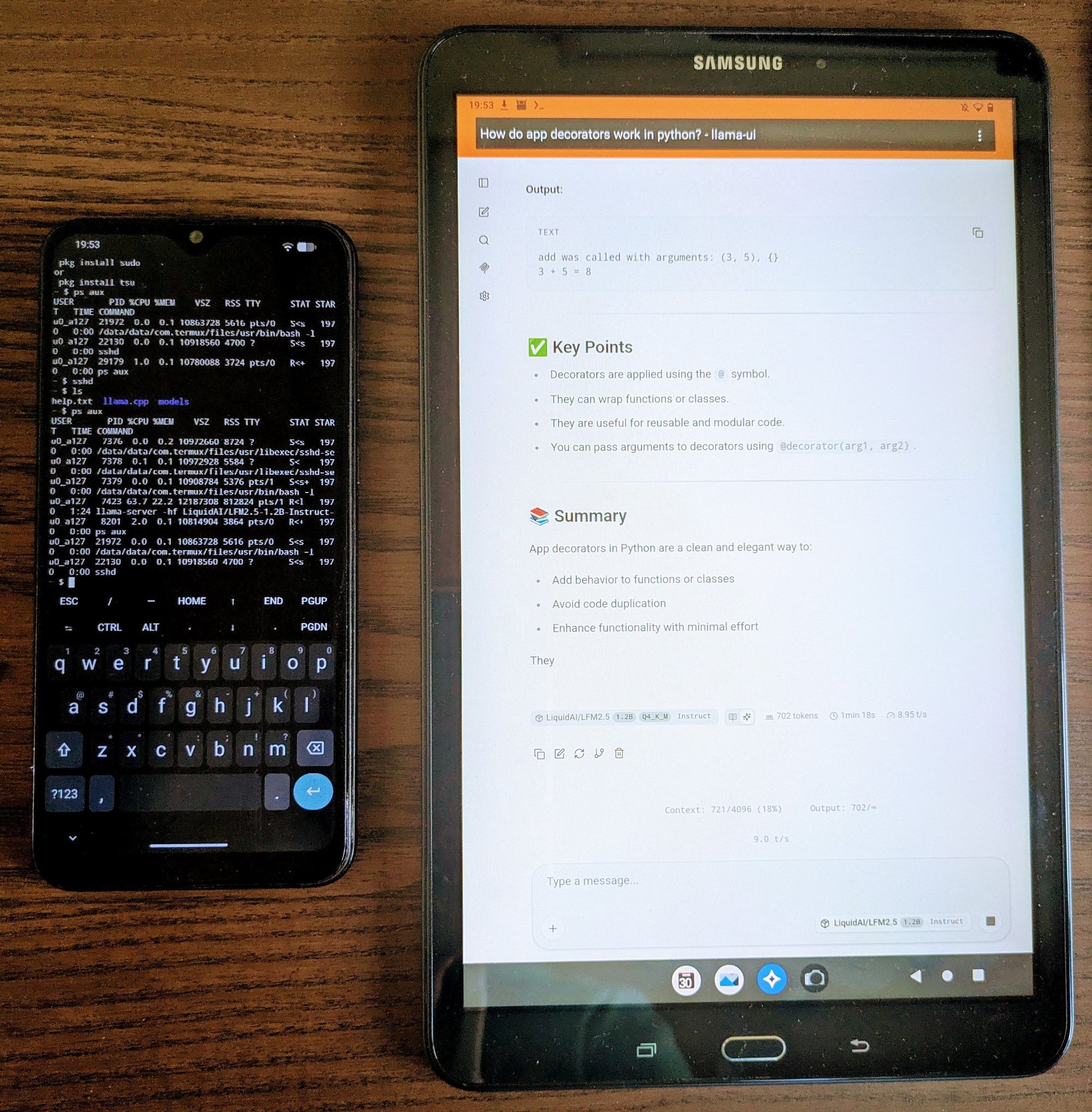
Now, I’m not saying we’re all going to solve the massive cost problem that AI currently has by rummaging around in the back of our drawers. The first model I tried was LFM2.5-1.2B-Instruct, which is a very small language model (SLM) running at a pedestrian 9 tokens per second. The phone in question is a Samsung M21, released in 2020 with 4GB of RAM and an Exynos 9611 octa-core processor (4x2.3GHz and 4x1.7GHz cores). Whilst it won’t win any accolades for speed, quite frankly I was impressed it ran anything at all.
What I will say is that this represents the kind of mindset shift that I think we’ll be seeing more of through 2026 and beyond. Gone are the days of paying by the PRU (premium request unit), irrespective of the complexity, and instead the user will be forced to count the cost in tokens and the rate. This kind of change is likely to force most users to become more sophisticated in balancing their goals with cost efficient consumption of cloud models. It’ll force others to run small models locally, albeit probably on their workstations or laptops rather than their phones.
A usable agent on your network
This hack isn’t just a thought experiment; it has real utility, especially for simplified workflows that don’t need a powerful model. In coding harnesses like OpenCode, you are able to define subagents and specify the model type and the provider (or in this case the local openAI endpoint). Often these subagents are given specific roles and restricted tools to perform deterministic tasks, such as websearches, code linting or security audits. One benefit of a subagent is that they are spawned with a clean context, which means that they don’t require a large context window to operate. This is the kind of thing I will be experimenting with SLMs on my phone (and other discarded hardware), along with a more capable model (probably cloud based) to orchestrate. Running subagents on local hardware will become an increasingly common use case given the price hike for cloud models.
A concrete example
Do olives belong in Spaghetti Bolognaise? For a concrete use case, take my recipe_recall project, which is an MCP server that scrapes the BBC Good Food website and returns the ingredients list for the top search result related to your recipe. I tested this on a local instance of Qwen3:8b and Llama3.2:3b at the time but the requirement is low enough that LFM2.5 1.2b could also do the job fine. Loading the recipe_recall MCP server on the phone and configuring the model to use it would allow me to create a subagent capable of retrieving ingredients. This would avoid the main cloud model from doing any heavy lifting and also from adding to the context unnecessarily for future prompts.
And in case you were wondering, the subagent would tell you that olives don’t belong in a traditional Bolognaise (but I put them in anyway).
What next?
You may be left wondering about the specific details discussed here. Please see Running llama-server on Android: A Complete Walkthrough with more details.
I’ll also follow up later with my experience using this setup with various models and various use cases.